In the first article in this series, .NET 11 RC1 Is Here. Is Your Upgrade Process Ready?, I argued that we should stop waiting for end-of-support deadlines before figuring out whether our applications can move forward.
The model was fairly simple:
RC = preflight.
GA = decision point.
EOS = execution deadline.
The goal is continuous evaluation rather than an upgrade project every few years.
But as I started thinking about how to actually build that process, I realized there is a step before upgrade readiness.
Environment readiness.
Before we can reliably evaluate the next version of .NET, we need to understand the environment that builds the version we are running today.
That led me to a surprisingly basic question.
Do you know which .NET SDK is actually building your application?
I thought I did.
The Target Framework Does Not Answer That Question
Consider a typical project file:
<PropertyGroup>
  <TargetFramework>net10.0</TargetFramework>
</PropertyGroup>
It is easy to look at that and assume the project is being built with the .NET 10 SDK.
That is not necessarily true.
TargetFramework tells .NET which framework and API surface the application targets.
SDK selection is separate.
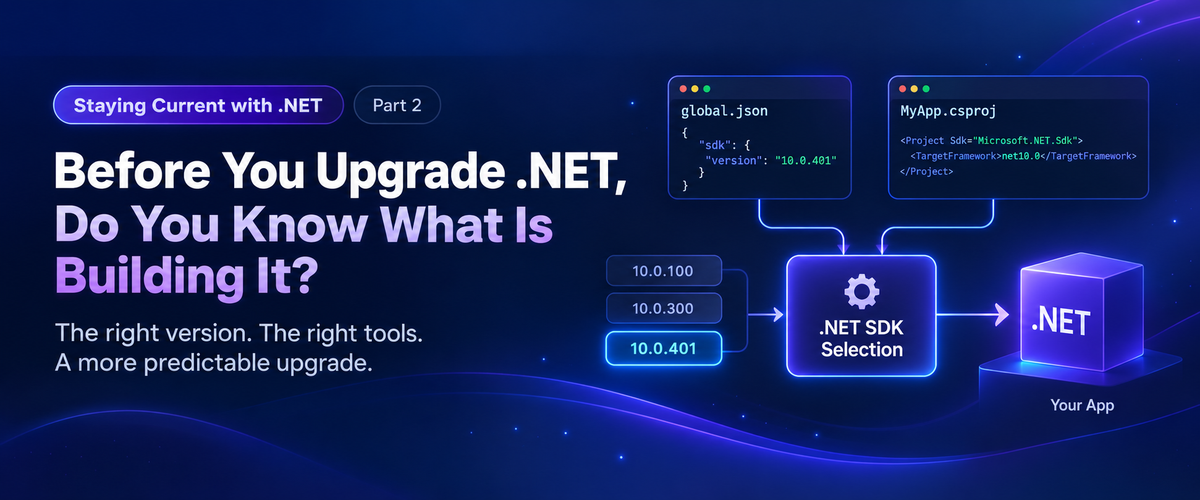
Microsoft documents this distinction in its global.json overview. The SDK determines which version of the .NET CLI and associated build tooling is used, while the target framework determines what the application targets.
A newer SDK can intentionally build an application targeting an older version of .NET.
That is useful.
It also means the target framework alone does not fully describe your build environment.
Start With Three Commands
First switch to the repository you want to evaluate, then run:
cd path\to\your\repository
dotnet --version
dotnet --list-sdks
dotnet sdk check
Each answers a different question.
dotnet --versiontells you which SDK is selected for this repository.dotnet --list-sdkstells you which SDKs are installed on the machine.dotnet sdk checktells you whether the installed SDK feature bands are current.
I ran these on my own development machine.
dotnet --version returned:
10.0.300
Then:
dotnet --list-sdks
showed:
8.0.425
9.0.121
10.0.112
10.0.300
So I had four SDKs installed and .NET had selected 10.0.300.
That already told me more than saying:
I have .NET 10 installed.
Why Was 10.0.300 Selected?
When there is no applicable global.json controlling SDK selection, the .NET CLI normally selects the highest installed SDK according to its SDK resolution rules.
On my machine:
8.0.425
9.0.121
10.0.112
10.0.300  <- selected
That selection is independent of whether the application I am about to build targets net8.0, net9.0, or net10.0.
The .NET 10 SDK can build applications targeting earlier versions.
Again, that is by design.
But it means two developers can clone the same repository and potentially build it with different SDKs simply because they have different SDKs installed.
For example:
Developer A        Developer B        CI
SDK 10.0.1xx       SDK 10.0.3xx       SDK 10.0.4xx
     |                   |                  |
     +-------------------+------------------+
                         |
                      net10.0
Everyone is targeting .NET 10.
They are not necessarily using the same build toolchain.
Why Does the SDK Matter?
The SDK is more than the version number displayed by dotnet --version.
It participates in the build through components and tooling such as MSBuild, Roslyn, NuGet, SDK targets, analyzers, source generators, and other build infrastructure.
Microsoft’s .NET SDK versioning guidance explains the relationship between SDK feature bands, MSBuild, Visual Studio, and the rest of the toolchain.
Different SDKs are designed to remain highly compatible.
That does not mean they are identical.
The question I care about is less:
Will this newer SDK probably build my application?
and more:
Should my build toolchain change because somebody installed a new SDK, or because the repository intentionally changed it?
For a shared application, I prefer the second.
Enter global.json
This is the problem global.json helps solve.
A repository can contain something like:
{
  "sdk": {
    "version": "10.0.100",
    "rollForward": "latestFeature"
  }
}
Now SDK selection is no longer based only on whatever happens to be installed on the machine.
The repository has expressed an SDK policy.
The application can still target net10.0, but we have also placed boundaries around the SDK used to build it.
That was the distinction I had not given enough attention to.
latestFeature Does Not Install Anything
There is an important detail here.
This:
"rollForward": "latestFeature"
does not download or update the SDK.
It tells the SDK resolver which already installed SDKs are acceptable.
If the repository starts with:
"version": "10.0.100"
and a later compatible .NET 10 feature band is installed, latestFeature allows the resolver to select it.
It does not silently install one.
That gives us flexibility without completely giving up control.
Microsoft’s current .NET upgrade guidance uses this same general pattern: define an SDK version in global.json and use latestFeature so the repository can move through appropriate installed feature bands without unexpectedly jumping to another major SDK.
Why Isn’t global.json Already in Every Project?
Because creating a normal .NET application does not automatically create one.
For example:
dotnet new console
and:
dotnet new webapi
do not add a global.json.
It has its own template:
dotnet new globaljson
You can also create it with an explicit SDK policy:
dotnet new globaljson `
    --sdk-version 10.0.100 `
    --roll-forward latestFeature
So it is entirely possible to work with .NET for years without spending much time thinking about this file.
Microsoft does not say every application must have one either.
If always using the newest installed SDK is intentional, you may not need it.
For CI and other environments where build consistency matters, Microsoft’s guidance becomes much more explicit about controlling the acceptable SDK range.
SDK Feature Bands Add Another Layer
SDK versions such as these initially look a little strange:
10.0.112
10.0.300
10.0.401
The hundreds digit identifies the SDK feature band.
Conceptually:
10.0.1xx
10.0.2xx
10.0.3xx
10.0.4xx
The final two digits identify servicing releases within that feature band.
So 10.0.300, 10.0.301, 10.0.302, and 10.0.303 all belong to the 3xx feature band.
That matters when using:
dotnet sdk check
On my machine, it reported:
10.0.112    Up to date.
10.0.300    Patch 10.0.303 is available.
At first that looked odd.
How could one .NET 10 SDK be current while another .NET 10 SDK needed an update?
Because dotnet sdk check evaluates SDK feature bands independently.
10.0.112 was current within its feature band.
10.0.300 was not current within its feature band.
Neither statement necessarily means I have the newest overall .NET 10 SDK installed.
That is another reason saying:
We use .NET 10.
does not tell us enough about the development environment.
Control Does Not Mean Freeze
Once we decide that SDK selection should be controlled, it would be easy to go too far in the other direction.
For example:
{
  "sdk": {
    "version": "10.0.100",
    "rollForward": "disable"
  }
}
There are scenarios where exact SDK pinning is useful.
But pinning an SDK and then ignoring it is not a good upgrade strategy either.
A controlled SDK still needs to be maintained.
Microsoft recommends keeping the SDK current so that you receive current tooling, fixes, and security updates.
That fits the philosophy of this series well.
The goal is not:
Never change the SDK.
The goal is:
Make SDK changes intentional.
global.json Does Not Make the Environment Reproducible
Adding global.json does not suddenly give you a completely reproducible development environment.
It controls one important variable.
There are still plenty of others:
- .NET workloads
- NuGet package sources
- external tools
- environment variables
- operating system dependencies
- container images
- databases
- certificates
- Node.js or other build toolchains
- CI configuration
Controlling SDK selection removes one unknown from the build.
That is useful.
It is not the end of the problem.
Audit Before You Change Anything
Before adding global.json everywhere, I would first understand what your repositories are doing today.
Start by switching to the repository you want to audit:
cd path\to\your\repository
dotnet --version
dotnet --list-sdks
dotnet sdk check
Then look for global.json.
If one exists, read it.
If it does not, ask a few questions.
What SDK does another developer select when they enter the same repository?
What SDK does CI select?
What happens after someone installs the next major .NET SDK?
Would installing that SDK change the build toolchain without anybody changing source control?
And there is another question I discovered while working through this on my own machine:
Who is responsible for keeping the SDK current?
Visual Studio?
A standalone .NET installer?
A package manager?
The developer?
Those can all be different servicing paths.
A Windows machine can report that it is fully updated while the development SDKs installed on it tell a different story.
Environment Readiness Comes Before Upgrade Readiness
This brings us back to the first article in this series.
If we want .NET 11 RC to become a normal preflight instead of the beginning of another migration project, we need a known starting point.
Before testing the next SDK, we should know:
- What SDK builds the application today?
- Is it current?
- Is that SDK selection intentional?
- Does CI make the same choice?
- Can another developer reproduce it?
Only then does continuous upgrade evaluation start to become predictable.
And the SDK is just the first layer.
The next question is broader:
If I handed this repository to a clean machine, could it build the application?
That is where environment readiness gets much more interesting.
Microsoft Resources
Microsoft’s global.json overview covers SDK selection, matching rules, current-directory lookup behavior, and the available rollForward policies.
Microsoft’s dotnet command documentation covers dotnet --version, dotnet --list-sdks, and the other top-level .NET CLI options.
Microsoft’s dotnet sdk check documentation explains how to check installed SDK and runtime feature bands for available updates and support status.
Microsoft’s dotnet new documentation covers the template system used by dotnet new globaljson.
Microsoft’s Upgrade to a new .NET version guidance includes its recommendation for controlling SDK selection with global.json.
For more detail about feature bands and how SDK versions relate to MSBuild and Visual Studio, see .NET SDK, MSBuild, and Visual Studio versioning.